
Filing MTD end of year 2025/26 using untied
This article covers the final tax return for Making Tax Digital.
If you have been in MTD early - during the 2025/26 tax year - you are among the first in the country. This is what you need to do in untied for the end of the year process.
While most people will self-serve, we also offer handholding to make sure things are working properly.
See also this article on known HMRC issues.
HMRC may also send letters out that are more urgent than the reality - they are also testing messaging - see this article.
Thanks from HMRC
"We are pleased that so many untied users have chosen to be in MTD early, and have been the first to file end of year MTD tax returns for 2025/26.
Making Tax Digital is a major step forward in how people file their taxes and has involved a decade of planning and transformation.
Much of this is new and involves complex systems and integrations at HMRC and in software.
As an early filer, you are a pioneer helping to make sure things are set up for the future. untied are able to identify live service issues to HMRC as a recognised developer and we work together to resolve them.
For those filing between April and July, special thanks. This is when we expect most issues to be identified and resolved.
For those who want to file later, a reminder that the deadline is 31 January 2027 though we encourage you to submit earlier. You can file amendments if something needs to be changed." MTD Software Lead, HMRC
Relationship with in-year (quarterly) updates
The end of year process uses all the data that is in untied. It includes data you will likely have included as part of your in-year or quarterly updates.
You can file your fourth quarter totals (these are actually year-to-date for the full year) without submitting your end of year final tax return. You can still amend and update these figures as a further update is includes as part of that process.
Reassuring you
- This is a new process. If you think you want to get it right, we can say with confidence that HMRC do too, and they have people on hand to help if there are any questions or issues
- You will be able to file amendments after submitting
- And remember HMRC don't get transactions, just the totals
- If there is something you're not sure about, then contact us
Basic principle
- The end of year process also needs to take place in software (ie there is no direct filing with HMRC)
- We will use data that has already been filed, so this effectively is an extension of the work you've already done
Self-serve filing
You can self-serve if you have:
- No foreign income
- No CIS
- No securities income
- The cash basis (accounting for transactions when you get money in or pay money out - this is the HMRC default)
- Income from each MTD source not more than £90k
- An accounting year aligned with the tax year ie it ends on 5 April
- No child benefit
- No losses
- No additional information to add or attachments
Hand-held filing
Book a slot if you have:
- Foreign income
- Securities income
- CIS
- The accrual basis (matching transactions to when an event happens not when you get paid)
- Income from an MTD source more than £90k
- An accounting year ending 31 March
- Child benefit
- Losses
- Additional information to add or attachments
Self-serve steps - you will need to work through all tabs
Screenshots appear generally before each section
Shortcuts:
Tab 1 - MTD sources (self-employment and property)
Tab 2 - Employment, pension and benefit
Tab 3 - Other income and deductions
Tab 4 - End of year finalisation
Pre-requisites
- You need to be signed up to MTD for 2025/26 and have linked your software
- You can file in the untied mobile app or untied in the browser: go to the MTD tab where all this will happen
- Make sure you have tagged all your transactions in untied for all your sources and filled in forms where appropriate
- You can file from 6 April - some of these steps will only work after the year end
Tab 1 - your MTD sources (details after the screenshots)
This is for your self-employment and property income. Filing this way will ensure you meet all quarterly update obligations as well. If you just want to file quarterly (in-year) updates - see this article.

- Go to the Making Tax Digital item in the menu
- Make sure you're filing for the right tax year - it should be 2025/26
- See the notes on Step 3 below
- For each MTD income source, do a final update (even if you've already done a quarterly update for the full year, we suggest doing a further one to take account of any changes you've made since) - it will then show you've filed up to 5 April
- If you need to, you can refresh the calculations at the top
- Your income tax and national insurance totals will show at the top. There will also be a calculation below your businesses which you can expand (see this note).
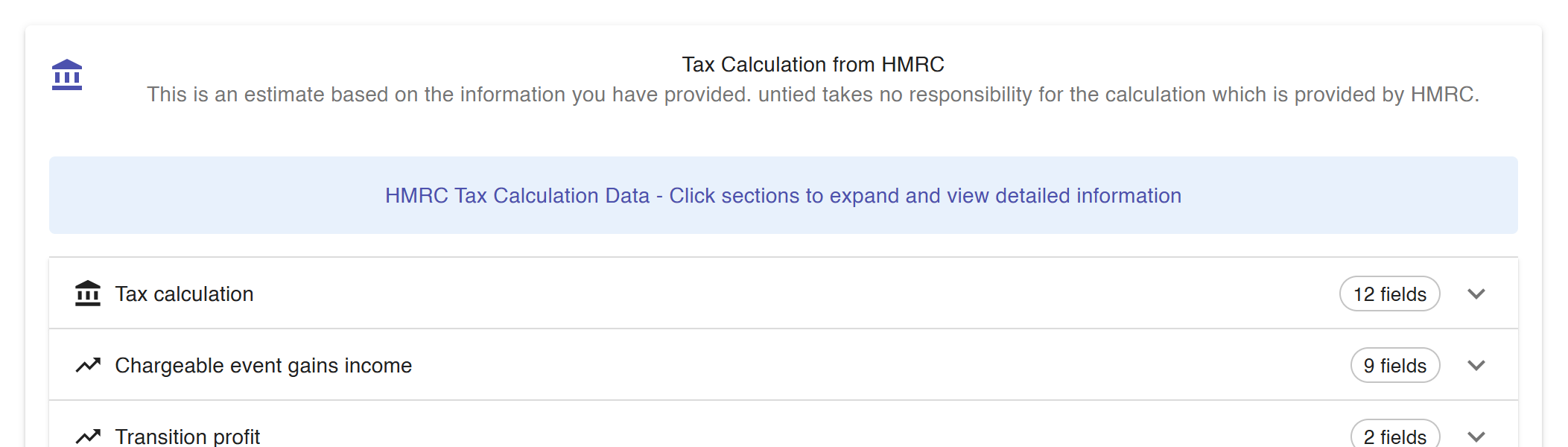
Notes on step 3 - C55326 end of year error
Some people have had errors when filing end of year. There are two possible resolutions. Try both and see if they work. If they don't let us know.
In each case you will need to tap on the cog for each self-employment income source.
If you don't get an error you don't need to do anything.
The first approach involves unticking Periods of account in use.

The second approach involves setting periods of account
Tick the box to say periods of account in use, and suggest from period type (this will set your accounting year). The dates will then show and you can then tap Save (for some people you may get a resource not found error - if this applies see if you can complete the further steps; if not, contact untied and we will escalate it to HMRC). This is not required for property income sources.


Tab 2 - your employment, pension and benefits (including making director and close company declarations, and child benefit - HICBC)
Check the numbers are right on the Employments & Benefits tab.


- Go to Employments & Employments
- Review the employment information. Click update to see details
- Review the details
- If you are getting errors about director declarations, make sure the director settings are correct by scrolling down to the bottom as shown in the screenshot (and if you received dividends from a close company - generally with five or fewer shareholders - these are included here AS WELL AS BEING TAGGED AS DIVIDENDS)
- Click to "Remove Directorship on HMRC" if applicable
- Save
- Check the benefits are right - let us know any issues
- At the bottom you will also see space to add any child benefit details
Tab 3 - Other income and deductions including foreign income
Much of this will flow from transactions tagged in untied.

- Go to Other Income Sources
- Check the data in untied. If you need to change these values, add manual transactions in untied
- Send changes to HMRC - at this point the HMRC amount and the Amount in untied should match
-
Other information including foreign income and CIS appears at the bottom. You may want to contact us for handholding if these apply:
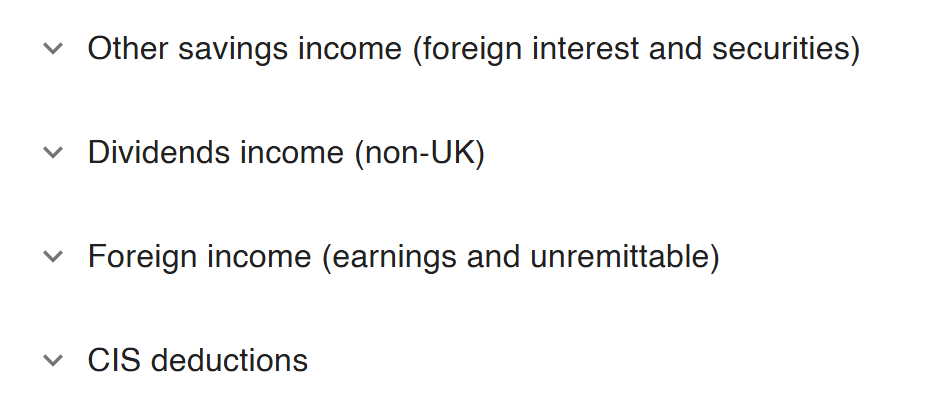
Tab 4 - End of year (finalisation)
This is where things now happen.

- Go to the end of year tab
- For accountants and other advisers, we support direct adjustments. If you see this section we suggest not to use it (but contact us if in doubt). Instead make changes in transactions and then repeat the Tab 1 process if you need to make changes
- You can then tap on "Finalise Tax for 2025 to 2026"
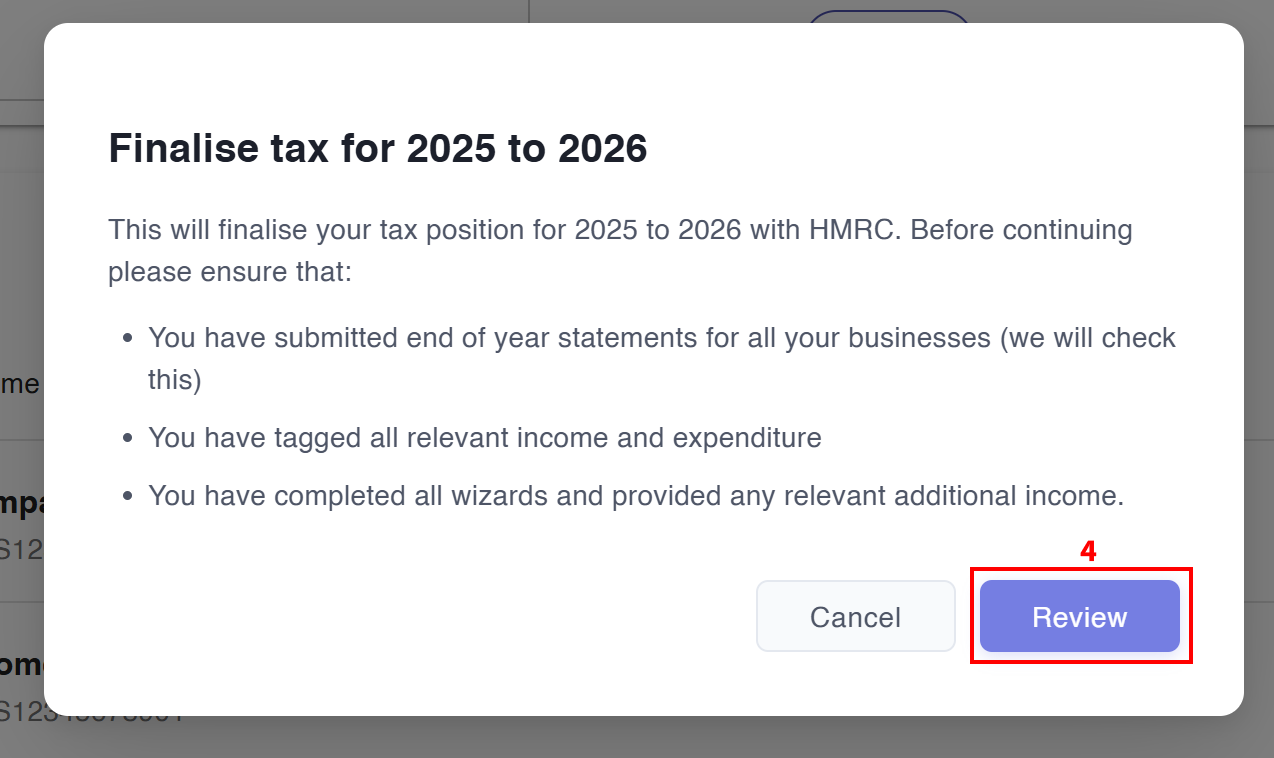
4, Tap on "Review"
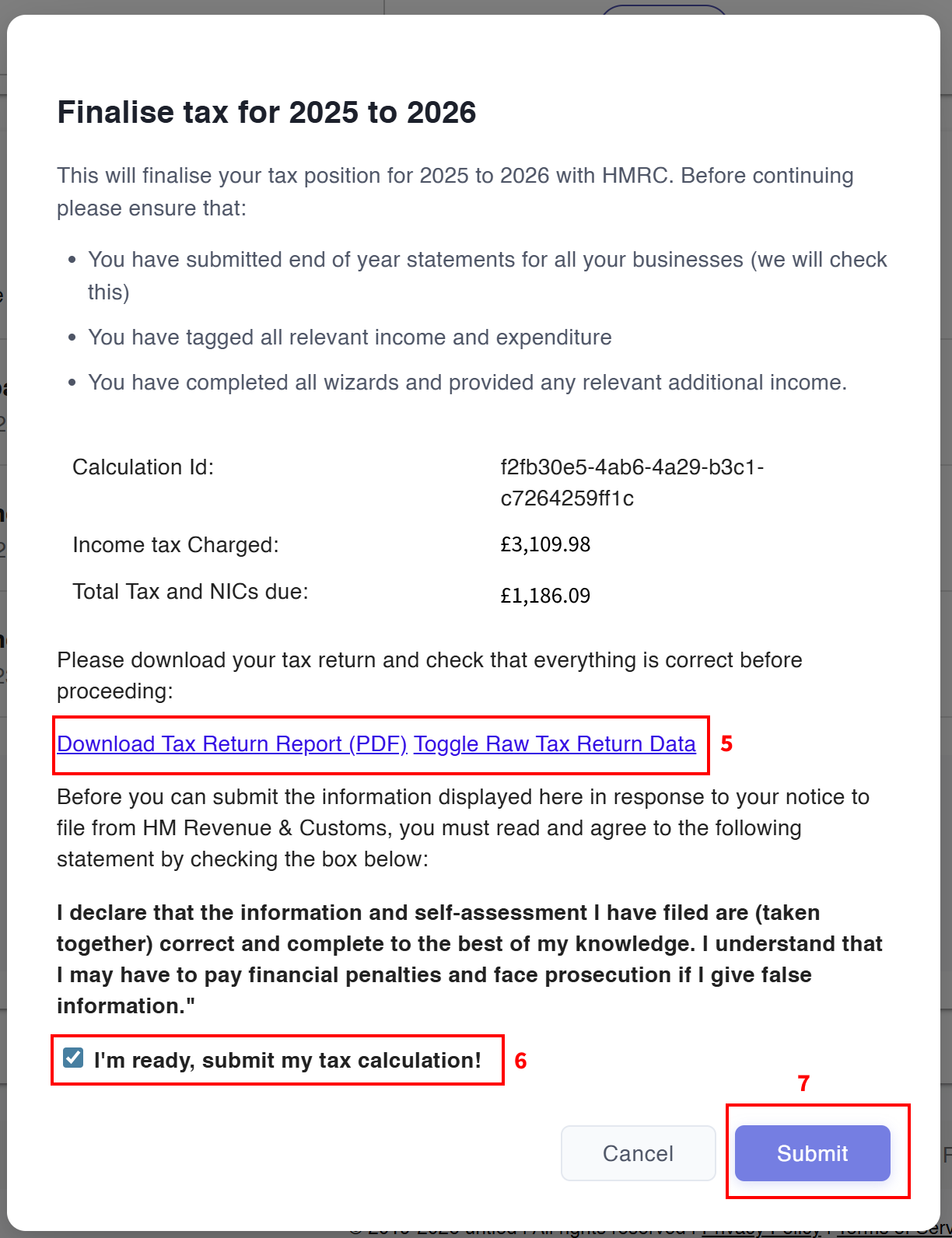
- You can download and review the draft tax return - this will have all your data though in a different format to a return you are familiar with
- If you're happy, tick that you're ready
- Then hit submit
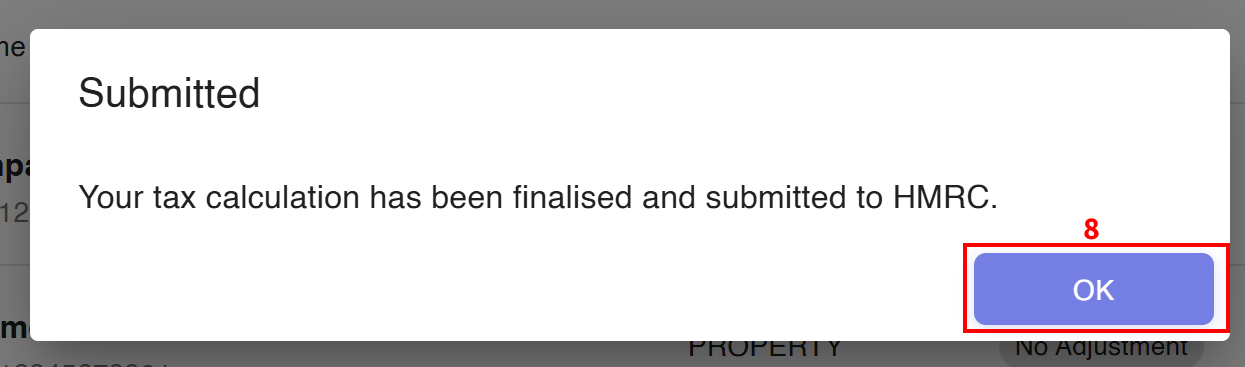
- You've filed! Click OK for the warm fuzzy feeling.
- You'll get an email confirmation and the End of Year tab will change to include a message that you've filed
- We'd love it if you can drop a note to us to tell us how it was (and if you're happy to be part of our feedback that would be amazing!)

Amendments
If you want to amend your final return, then make the changes, work through the tabs and hit Amend Return on the End of Year tab.
